.png)
If you have access to the Storegate Signing service, you also have the option to publish standard agreements for form filling via an open link. You decide which type of document (PDF, DOCX) will be displayed to the recipient and which form fields the customer needs to fill in (e.g., name, email address, phone number, etc.). You can also add your own custom fields for the customer to complete.
Once the form has been filled in and the agreement signed, it is automatically forwarded for approval to any additional signers you choose, or simply back to you, after which it is archived in a predefined folder under My Files or Shared Files.
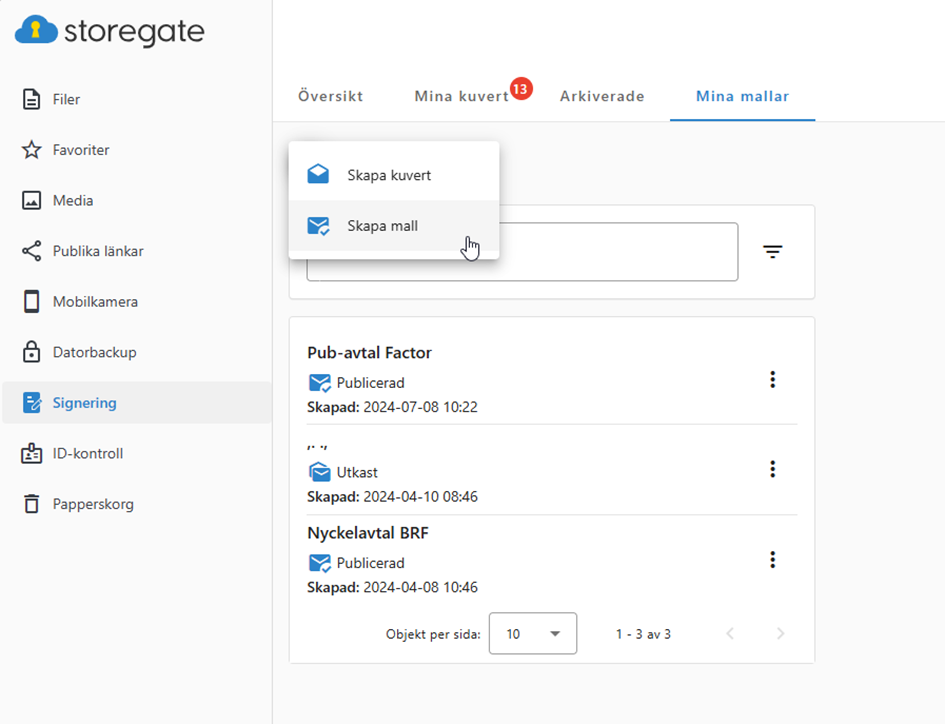
To create a template signing with form filling, go to Signing, click + Create template, add an agreement, set the template settings and approvers, and then complete the process. You will now receive a link that can be distributed via email, on a website, in a forum, etc., and the link will remain active until you choose to deactivate or delete the template.